One system for everything: why museums choose integrated ticketing
Timed entry, group bookings, venue hire and a café till all living in their own world: for many museums that is daily reality. How one integrated system changes that.
You choose a ticketing system for years, not for one season. Which questions actually decide it, what does it really cost, and what should you watch out for when switching? A practical guide for theatres.
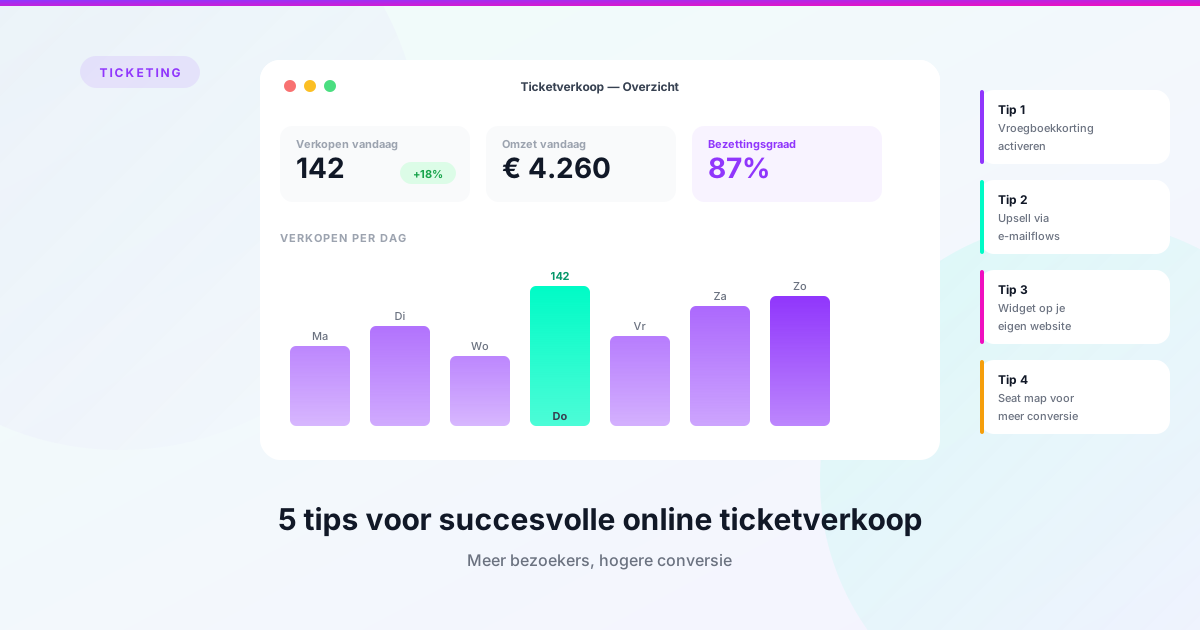
You don’t choose a ticketing system for one season. In practice you are tied to it for seven to ten years: your subscription administration lives there, along with your audience data, your seating plans and your financial history. It is one of the few purchases where the cost of moving out exceeds the cost of moving in.
Even so, the search usually starts with a feature list. That approach almost always produces a system that can do everything on paper and fits nothing in practice. This article turns it around: your own process first, the software second.
Every ticketing system sells tickets. That is not where the differences are. The differences are in everything around it.
Walk through your own year. Do you programme several halls, with rehearsals, set-up and strike that can get in each other’s way? Do you rent out spaces to third parties? Do you settle with companies through partage or a buyout? Do you have subscribers with priority booking rights? Do you send your own newsletters based on order history?
The more of those questions you answer with yes, the less use you have for a system that only handles ticket sales. Not because such systems are bad, but because you will still have to arrange the rest somewhere else — and then integrate it. Every integration is a place where data drifts apart, and where two suppliers point at each other when something breaks.
The reverse holds too. If you are a small cinema selling twenty screenings a year and nothing more, a full platform is overkill. Don’t pay for a planning module you will never open.
1. How complex is your auditorium? Ask for a demo using your seating plan, not the standard one. Do you have balconies, boxes, standing room, wheelchair spaces, or do you change configuration per production? Have them show that the system handles it, and how much work a change costs. “That’s possible” and “that’s two clicks” are different answers.
2. What needs to live on your own website? There is a big difference between a ticket shop your visitor gets redirected to and a shop embedded in your own site. That difference is measurable in conversion: every step where a visitor enters an unfamiliar environment costs sales. Ask how the integration works and how much of it you can style yourself.
3. Who needs access, and with which permissions? A theatre has box office staff, marketing, planners, management and often a technical department. Look at how the system handles users and permissions, whether the number of concurrent users affects the price, and whether secure login via SSO is available. That last point tends to be forgotten until the first time an employee with a shared password leaves.
4. Can you get at your own data? Ask explicitly whether there is an open API, what you are allowed to do with it, and whether you can export to a data warehouse or BI tool at no extra cost. A system where every report requires a request to the supplier becomes a brake on your organisation.
5. Who builds the product? There is a difference between a supplier developing its own software and a party reselling someone else’s. With the first, your request reaches people who can act on it. Also ask how the roadmap is decided and whether users have any influence over it.
The monthly price is the easy part. Push on what is not included, because that is where the surprises are:
Then calculate over five years rather than this year. A system that is €200 a month cheaper but asks €15,000 for implementation only becomes the better deal after six years.
Pay attention to the structure of the price as well. If you pay per ticket, your costs rise exactly when you have a good season. A fixed monthly fee with a bundle of tickets included is more predictable, which makes your budget easier to defend.
Take these into every conversation:
Questions 4 and 7 matter most. References from your own sector say more than any demo, and a supplier who answers an exit question comfortably has nothing to hide.
Most theatres postpone a switch for years because they expect six months of chaos. That is usually not necessary, but the time it costs your own team is structurally underestimated.
A realistic expectation: a ticketing implementation can be done in two to four weeks. Add planning and you should count on four to eight weeks. That extra time is not only configuration — it is mostly capacity for change, because two big changes at once ask a lot of the same people who also run daily sales.
Two things demonstrably help. First: pick a quiet moment in your season, not three weeks before subscription sales open. Second: consider going in stages. Replacing only your ticketing and doing planning a year later is almost always calmer than doing everything at once, even when it ends up being the same platform.
Also ask what happens to your existing data. Customer details, order history, performances, subscriptions and donations should all be able to come along. At the same time, a switch is a good moment to consider what you really want to bring: data from an old system is rarely clean, and for planning in particular a fresh structure is sometimes wiser than an exact copy of the old mess.
The best ticketing system is not the one with the longest feature list, but the one that fits what your organisation actually does. If you are a theatre with programming, venue rental, subscriptions and partage, an integrated platform deserves serious consideration. If you only sell tickets, keep it simple.
If you want to know whether your current system can still keep up, see our switching page. And if you want to see what this looks like in practice, our ticketing page covers what Ovatic does, and the pricing is published openly.
Timed entry, group bookings, venue hire and a café till all living in their own world: for many museums that is daily reality. How one integrated system changes that.
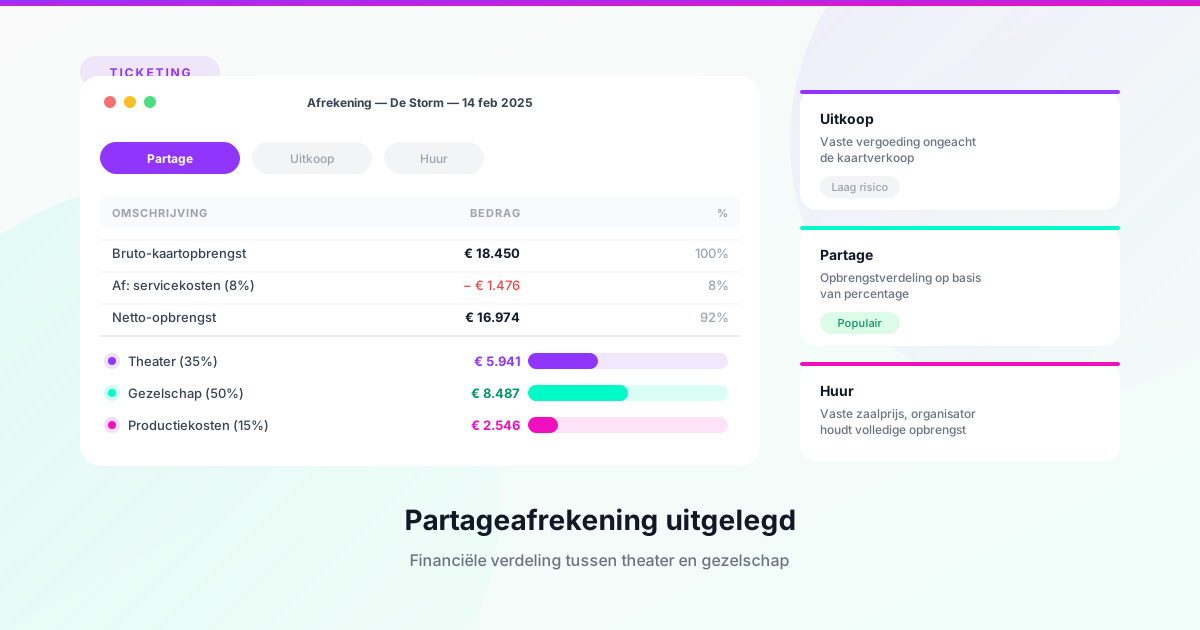
Everything about buy-out, partage and hire — the three contract models theatres use to split revenues with companies and producers.
Practical tips to optimise your online ticket sales and attract more visitors to your events.
Book a free 30-minute demo tailored to your organisation. No obligations.